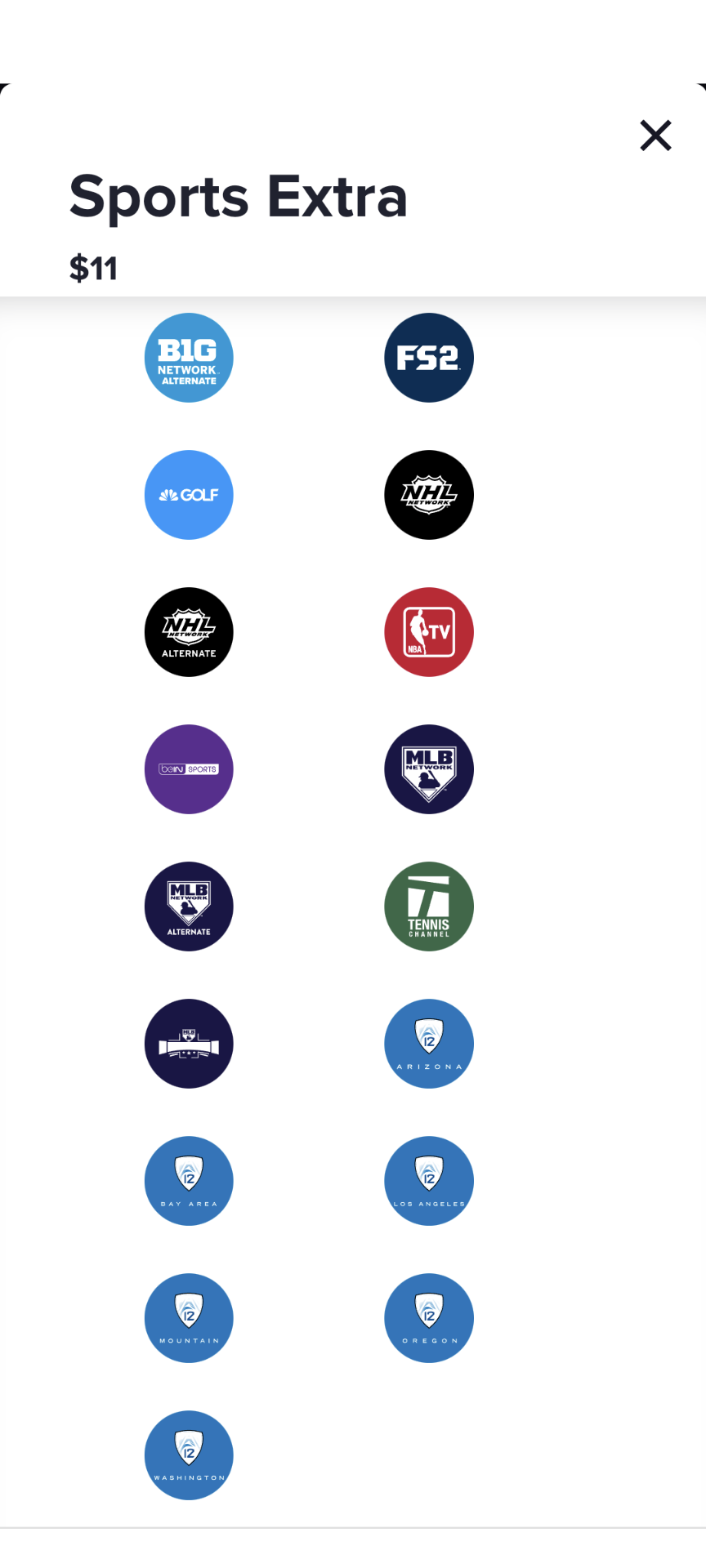
It’s in the $11/month Sports Extra add-on.
I believe you, but I’m still not seeing it listed on their website. (Which makes me wonder if the sports pkg is tailored or zip code. I’m on the west coast.)
Good catch. I see that I wasn’t clear. I am actually hardwiring AppleTVs, not my actual TVs. But yes, you need to hardwire the actual streaming device.
For whatever reason, as I’m looking, their website only shows Blue+Sports Extra (no ACCN), and Orange+Blue+Sports Extra, but my subscription is Orange+Sports Extra, which does have ACCN.
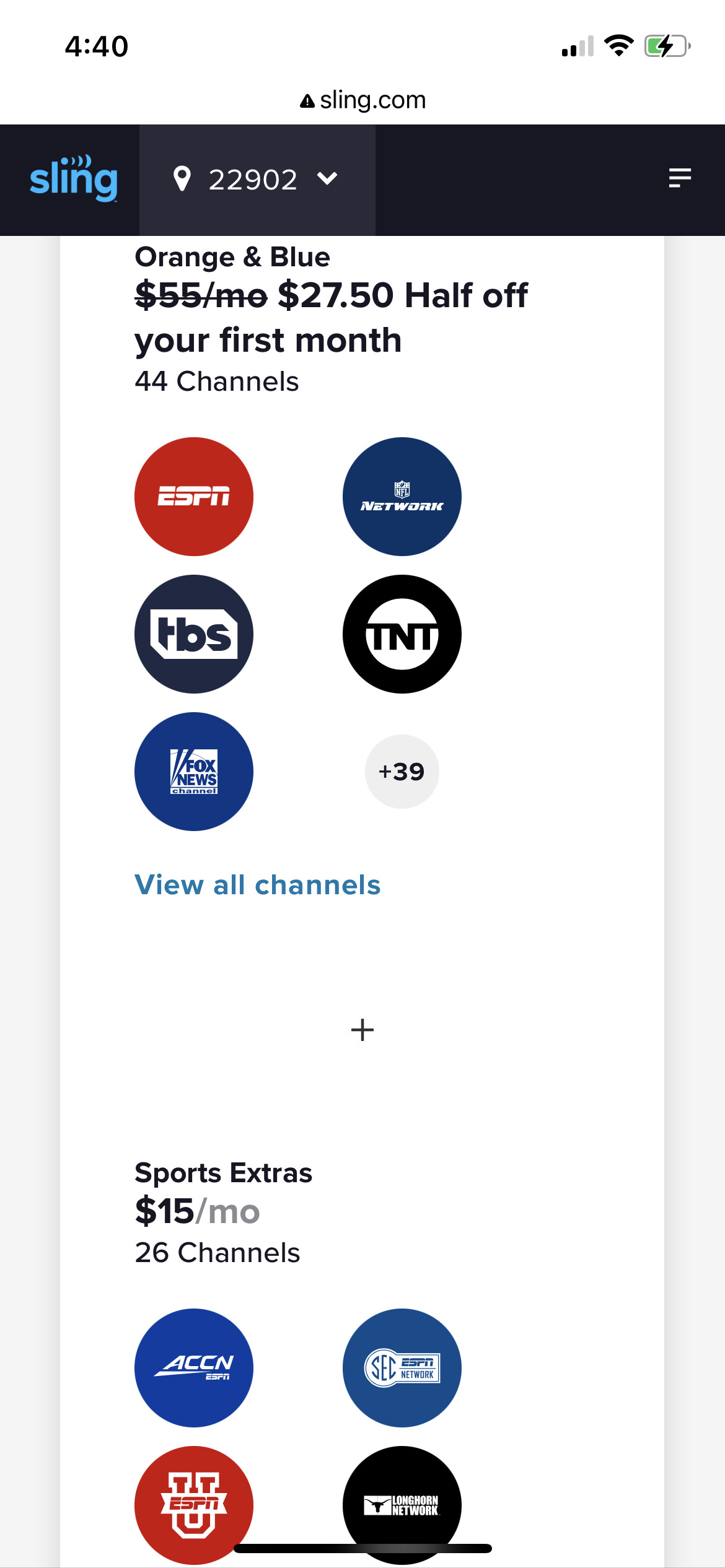
Think I was right on the zip code. Here’s the 19-channel sports package they offer me. Blue logos at the bottom are all for West Coast regional networks (Bay Area, L.A., Oregon, etc )
Hmm, I’m just seeing NBA League Pass promos on Sling. Bummer because that college basketball package sounds ideal.
Okay, saw Quasar’s post and went back in via a Google search. Yes, ACCN is available as part of a $15/mo add-on if you have the Orange + Blue package. But DAMN, that info is well-buried on the website. You would never find it unless you already knew where to look.
This is kind of interesting. When I go to the Sling TV website, I don’t see any of the packages I mentioned. However, I do have an inactive account with Sling TV. When I log in to resubscribe, I see all the options I mentioned earlier. Also, if you go to the very bottom of the home page, under the heading “Shop” there is a option “Add-ons”. Click that and the next page will have the Orange sports package with ACCN showing. If you do create an account (without subscribing) then you you will see the option “College Basketball Prepaid Bundle” which has the $199 + tax for five months deal as well as others. You can get just the Orange plus sports package even though it’s not showing on the home page .Sorry to have created so much confusion.
Edit: I just signed up for the five month Sling TV Orange + Sports package. The total billed was $199.00, and my subscription is good until April 2, 2024. The Sling TV website interface leaves a lot to be desired. I wasn’t sure I had actually subscribed until I checked my bank account. However, I am now, as I type, watching Coach Tony Bennett’s press conference from earlier this week. That said, I could be watching Pitt and FSU women’s soccer teams play.
Bottom line: If you want to see all the subscription options, you need to create an account and log in. You don’t need to subscribe, but you need the account.
3 Likes
So, I have YouTube TV that includes ACCNetwork, but my question is this. Does Sling offer ACCNx, which is where a lot of these early games (and even games later that actually mean something because ACCNetwork is stupid and shows meaningless games) will occur??
Yes. Sling TV has ACCNX as a stand alone option. I had YouTube TV two years ago, and I could never figure out how to access the ACCNX games via ESPN, but, evidently, it can be done. Sling TV just makes it a bit easier at a better price.
If you have a broadcast provider, in your case, YouTube TV, and and have ACCN through that provider, which you do, then you have ACCNx.
ACCNx is streaming only. That is, ESPN is not broadcasting this game on one of its channels. The only trick is how you access it. I have always had to use the ESPN app in the past with my DirecTV subscription, but someone in this thread responded to an earlier post of mine that they are able to access it directly through their provider app. I think it was Sling, but could have been Hulu.
Anyway, I would recommend checking out your YouTube app now to see if you can stream a replay of a football game an ACCNx from this past weekend so you’re ready for tonight. If you can’t find ACCNx on your YouTube app, you can always get it on the ESPN app. You’ll be prompted to login with your YouTube credentials.
1 Like
If you don’t mind watching the game on a computer or tablet, you can browse to the ESPN website, click on the User symbol on the upper right hand corner, select youtube TV as your service provider, and log in with your youtubeTV credentials.
Or, download the ESPN App on your streaming device and do the same.
Don’t do anything with ESPN+.
Log in a few minutes prior to the game and then do a seach for the game. It is not a user-friendly interface.
2 Likes
In a worst-case scenario, assuming you can find the game on your laptop, you can mirror the screen to most smart TVs and streaming devices (Roku, Chromecast, Fire stick). For that matter, if your computer has an HDMI port, you can run an HDMI cable directly to the TV and Bob’s your uncle.
1 Like
If you can get it on your laptop you can get it on a smart tv without mirroring. Just use the TV’s browser.
1 Like
Yet again the obvious solution eludes me
1 Like
Gotta say, my TV browsers are punishingly clunky to use. Not sure if Roku, Firestick, AppleTV, etc have a better browser interface.
I will say, that I went ahead and signed up for Hulu +Live and queued up the game–both in the Hulu app and the ESPN app. I just tried getting the BC women’s game–and it worked on both!
So I don’t have any cable or streaming packages (definitely nothing that gets ACCN), but I do have ESPN+ as part of a Disney bundle. Opened my ESPN app on my phone and there was an ESPN+ button by our game. I hit it and am watching now. Yay for me?
7 Likes